Cloud Storage vs Local Storage: Which One Should You Choose?
Data has become one of the most valuable assets in the digital age. Whether you're a student saving assignments, a business managing customer information, a photographer storing high-resolution images, or a developer maintaining source code, choosing the right storage solution is essential. The two most common options available today are cloud storage and local storage.
While both methods serve the same purpose—storing and protecting data—they differ significantly in terms of accessibility, cost, security, scalability, and performance. Some users prefer the convenience of accessing files from anywhere through cloud services, while others value the speed and control offered by local storage devices.
Choosing between cloud storage and local storage is not always straightforward. Your decision depends on your needs, budget, internet connectivity, security requirements, and the type of data you handle.
This guide compares cloud storage and local storage, explains their advantages and disadvantages, highlights real-world use cases, and helps you determine which option is best for your personal or professional needs.
What Is Cloud Storage?
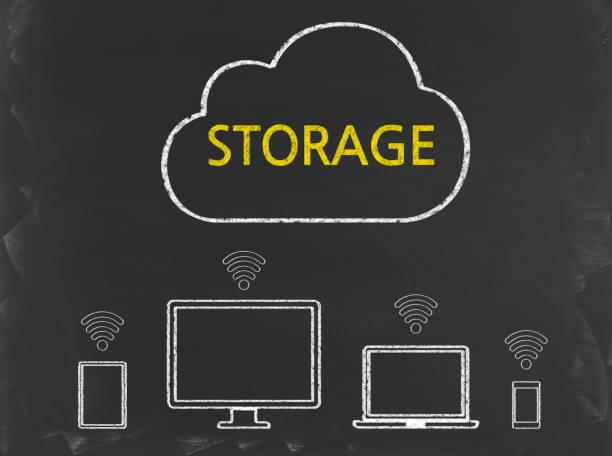
Cloud storage is a service that allows users to save data on remote servers managed by a cloud provider. Instead of storing files on your computer or an external drive, your data is stored in secure data centers and accessed over the internet.
Popular cloud storage providers include:
- Google Drive
- Microsoft OneDrive
- Dropbox
- Apple iCloud
- Amazon S3
Cloud storage allows users to upload, synchronize, share, and retrieve files from virtually any device connected to the internet.
What Is Local Storage?
Local storage refers to saving data directly on physical devices that you own or control.
Common local storage devices include:
- Internal Hard Disk Drives (HDDs)
- Solid-State Drives (SSDs)
- External hard drives
- USB flash drives
- Memory cards
- Network Attached Storage (NAS)
Unlike cloud storage, local storage does not require an internet connection to access files stored on the device.
How Cloud Storage Works
When you upload a file to a cloud storage platform:
- The file is encrypted and transmitted securely over the internet.
- The cloud provider stores it in one or more data centers.
- The file is synchronized across your linked devices.
- You can access it anytime using your account credentials.
Many providers also create redundant copies of your data across multiple servers to improve reliability and disaster recovery.
How Local Storage Works
With local storage, files are saved directly on a physical storage device connected to your computer or network.
The operating system manages file organization, allowing users to access data instantly without relying on external servers or internet connectivity.
Because the data remains under your direct control, you are responsible for maintenance, backups, and hardware protection.
Advantages of Cloud Storage
Access Files Anywhere
One of the greatest strengths of cloud storage is accessibility. As long as you have an internet connection, you can retrieve your files from a laptop, smartphone, or tablet anywhere in the world.
Automatic Backup and Synchronization
Most cloud platforms automatically synchronize files across devices, reducing the risk of losing important documents due to hardware failure or accidental deletion.
Scalability
Cloud storage makes it easy to increase or decrease storage capacity based on your needs. Businesses can expand without purchasing additional physical hardware.
Collaboration
Cloud services allow multiple users to edit and share documents in real time, making them ideal for remote teams and collaborative projects.
Disaster Recovery
Since files are stored in remote data centers, they remain accessible even if your local device is lost, stolen, or damaged.
Advantages of Local Storage
Faster Performance
Accessing files from an SSD or HDD is generally faster than downloading them from the cloud, especially when working with large files or high-performance applications.
Offline Access
Local storage works without an internet connection, making it ideal for areas with unreliable or expensive internet access.
Greater Control
Users have complete ownership of their storage devices and can decide how data is managed, backed up, and secured.
No Recurring Subscription Fees
Unlike many cloud services, local storage typically requires a one-time hardware purchase rather than ongoing monthly or annual payments.
Disadvantages of Cloud Storage
Despite its benefits, cloud storage has some limitations.
Internet Dependency
Without an internet connection, accessing cloud-stored files may be impossible or significantly limited.
Ongoing Costs
While many providers offer free storage, larger capacities often require subscription plans that can become expensive over time.
Privacy Concerns
Although reputable providers use strong security measures, some users may be uncomfortable storing sensitive information on third-party servers.
Service Outages
Cloud services occasionally experience downtime, temporarily limiting access to stored data.
Disadvantages of Local Storage
Local storage also has drawbacks.
Hardware Failure
Hard drives and SSDs can fail unexpectedly, potentially leading to permanent data loss if backups are unavailable.
Limited Accessibility
Files stored locally are generally accessible only from the device or network where they are stored.
Manual Backups
Unlike cloud platforms, local storage usually requires users to manage backups themselves.
Capacity Limitations
Increasing storage often means purchasing additional hardware.
Cloud Storage vs Local Storage Comparison
|
Feature |
Cloud Storage |
Local Storage |
|
Accessibility |
Anywhere with internet |
Device-specific |
|
Speed |
Internet dependent |
Usually faster |
|
Cost |
Subscription-based |
One-time purchase |
|
Backup |
Automatic |
Manual |
|
Collaboration |
Excellent |
Limited |
|
Scalability |
Highly scalable |
Limited by hardware |
|
Offline Access |
Limited |
Excellent |
|
Maintenance |
Managed by provider |
Managed by user |
Which Option Is More Secure?
Security depends on how each solution is used.
Cloud providers invest heavily in:
- Encryption
- Multi-factor authentication
- Redundant backups
- Physical security
- Continuous monitoring
However, users should still enable strong passwords and MFA to protect their accounts.
Local storage offers greater physical control but requires users to implement their own security measures, including encryption, antivirus protection, and regular backups.
For highly sensitive information, many organizations combine both methods for added resilience.
Best Use Cases
Cloud Storage Is Best For
- Remote work
- Team collaboration
- File sharing
- Automatic backups
- Mobile productivity
- Businesses with distributed teams
Local Storage Is Best For
- Video editing
- Gaming
- Large media libraries
- Offline work
- High-performance computing
- Sensitive environments with restricted internet access
Should You Use Both?
In many cases, the best solution is a hybrid approach.
For example:
- Store working files locally for speed.
- Back them up to the cloud for disaster recovery.
- Use cloud services for collaboration.
- Keep sensitive archives on encrypted local drives.
This approach combines the strengths of both storage methods while reducing their weaknesses.
Future Trends in Data Storage
The storage landscape continues to evolve.
Emerging trends include:
- AI-powered data management
- Intelligent cloud backup systems
- Edge storage for IoT devices
- Multi-cloud storage strategies
- Zero Trust data protection
- Green data centers
- Hybrid cloud environments
These innovations are making storage more secure, scalable, and efficient for both individuals and businesses.
Frequently Asked Questions
Is cloud storage safer than local storage?
Both can be secure when used properly. Cloud providers offer advanced security features, while local storage provides greater physical control. Combining both often delivers the best protection.
Can I use cloud storage without the internet?
Most cloud services require an internet connection for synchronization, though some allow offline access to previously synced files.
Which is cheaper?
For small storage needs, cloud services often provide free plans. For long-term large-capacity storage, purchasing local hardware may be more cost-effective.
What happens if my hard drive fails?
Without a backup, data may be permanently lost. This is why maintaining cloud backups or secondary local backups is strongly recommended.
Should businesses rely only on cloud storage?
Not necessarily. Many organizations adopt hybrid storage strategies to balance accessibility, performance, and security.
Conclusion
Both cloud storage and local storage have unique strengths, and neither is universally better than the other. Cloud storage excels in accessibility, collaboration, and automatic backups, making it ideal for modern workflows and remote teams. Local storage offers superior speed, offline access, and direct control, making it well-suited for high-performance tasks and users who prefer managing their own data.
For most individuals and businesses, a hybrid approach provides the best of both worlds. By combining the convenience of cloud storage with the reliability of local backups, you can protect your data, improve productivity, and prepare for unexpected hardware failures or cyber threats.
As technology continues to evolve, understanding the differences between cloud and local storage will help you make informed decisions that align with your personal, educational, or business goals.
Recent Insights


Student Reviews
Authentic experiences and reviews from our global training alumni will be displayed right here shortly.
Global Cohort
Advance From Foundation To Technical Leadership
Secure your specialized path tracker in Cyber Analytics, Data Science, or Cloud Systems Engineering.
Join Training Track